Draw the cabinets. Cut the panels.
Plan2Panel is a Windows app for cabinet shops. Lay out the room, design each cabinet, and get the cut list, nested sheets, part drawings and a client quote from the same drawing.
Windows 10 and 11, 64-bit. Version 2.0.0.
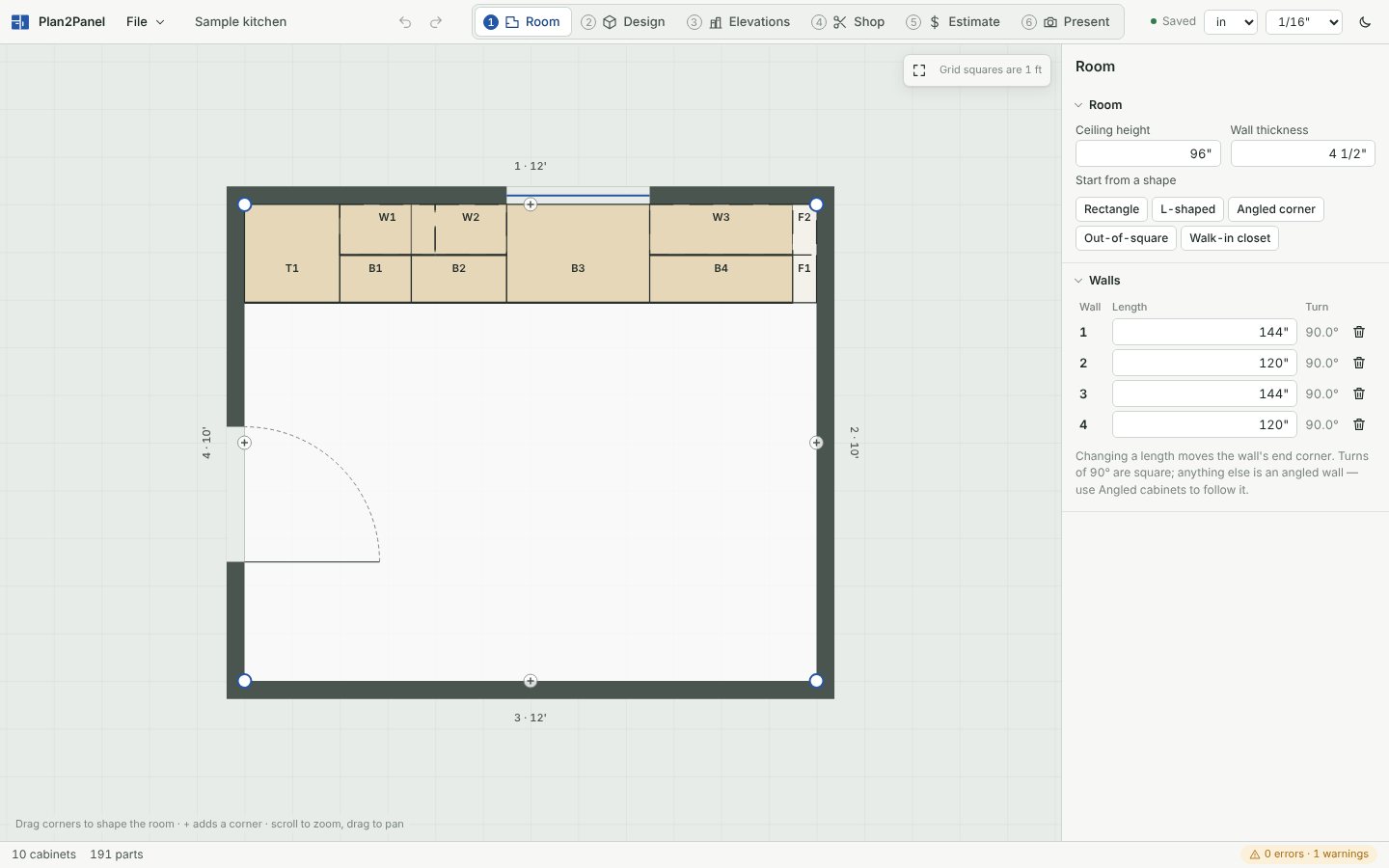
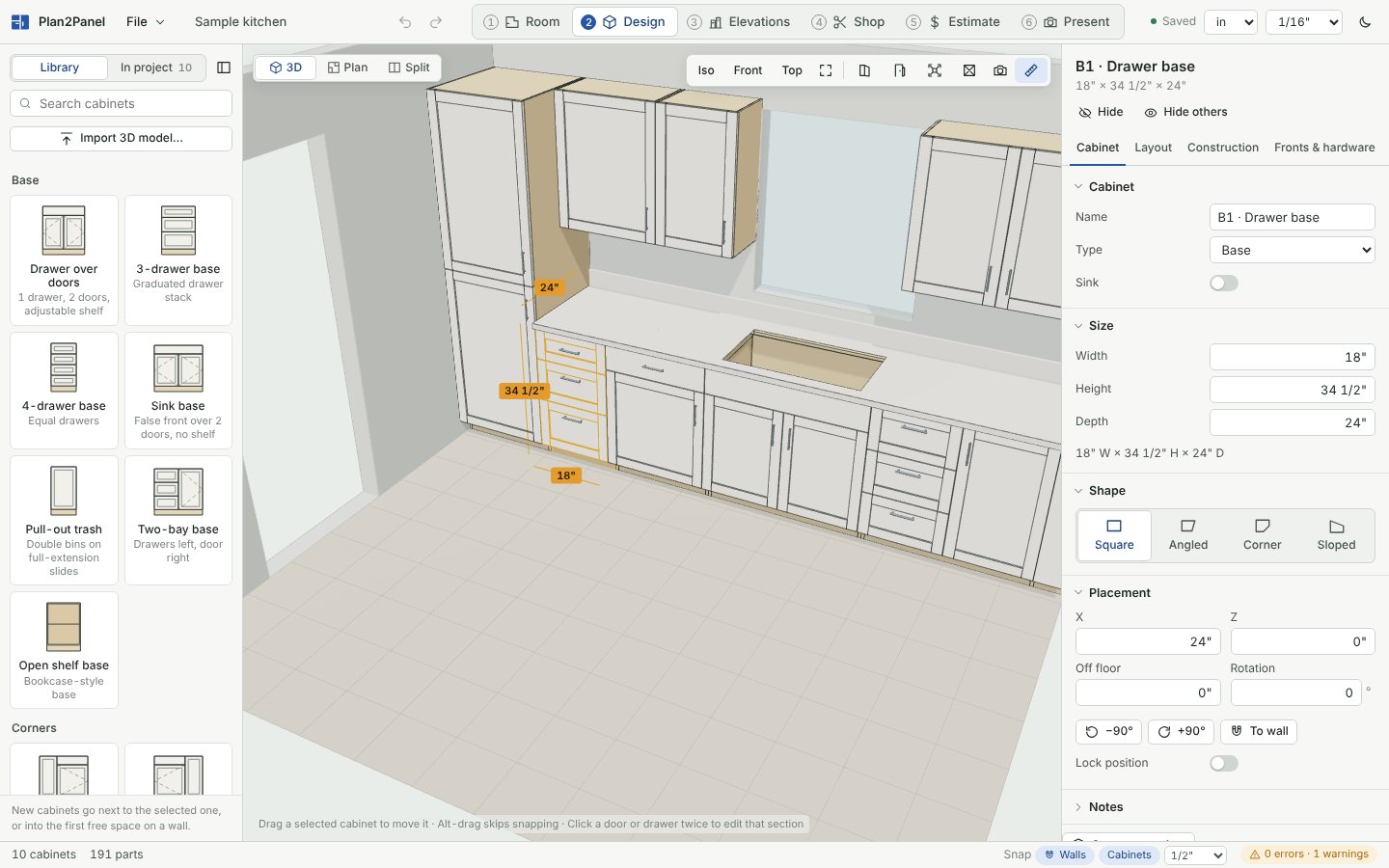
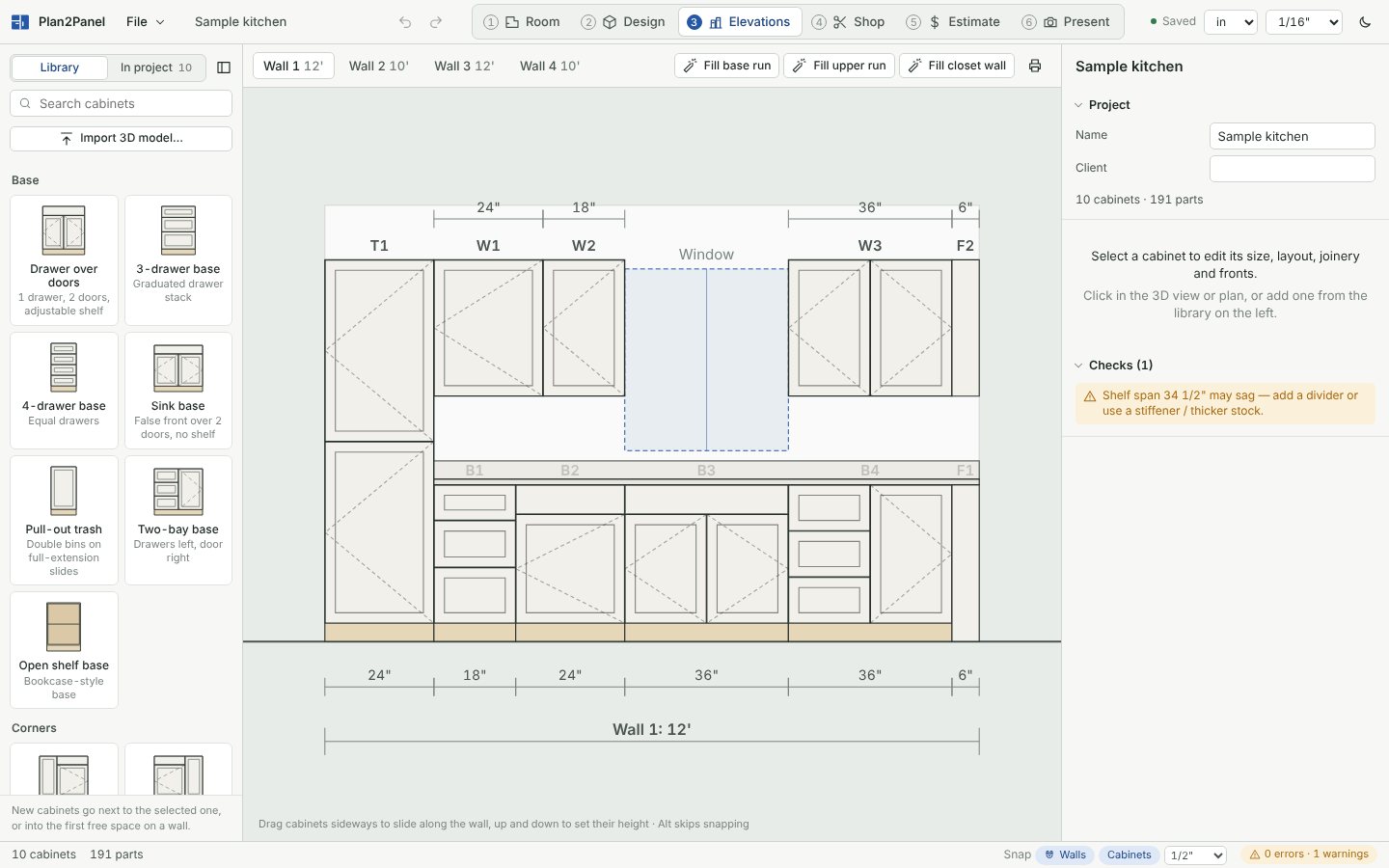
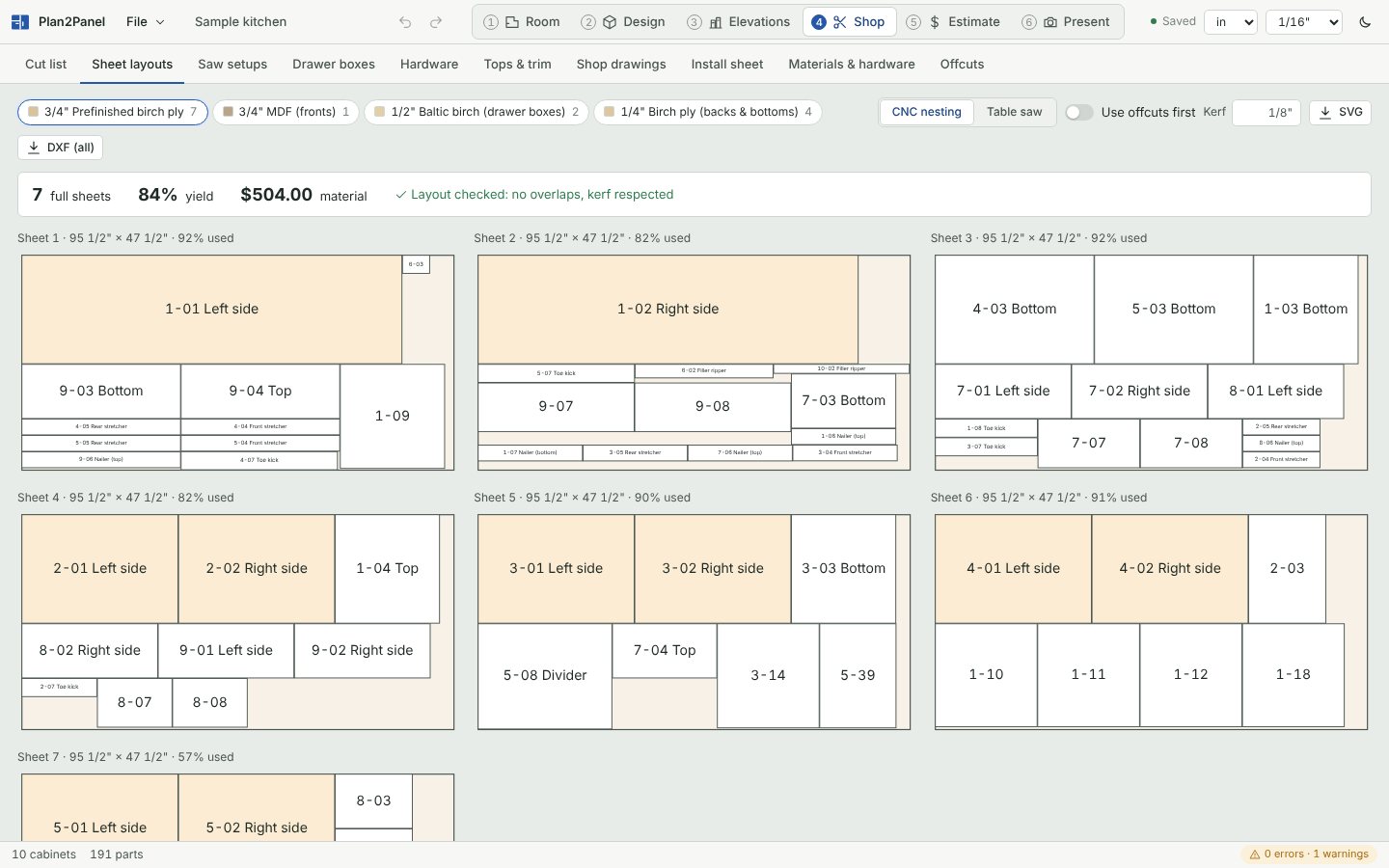
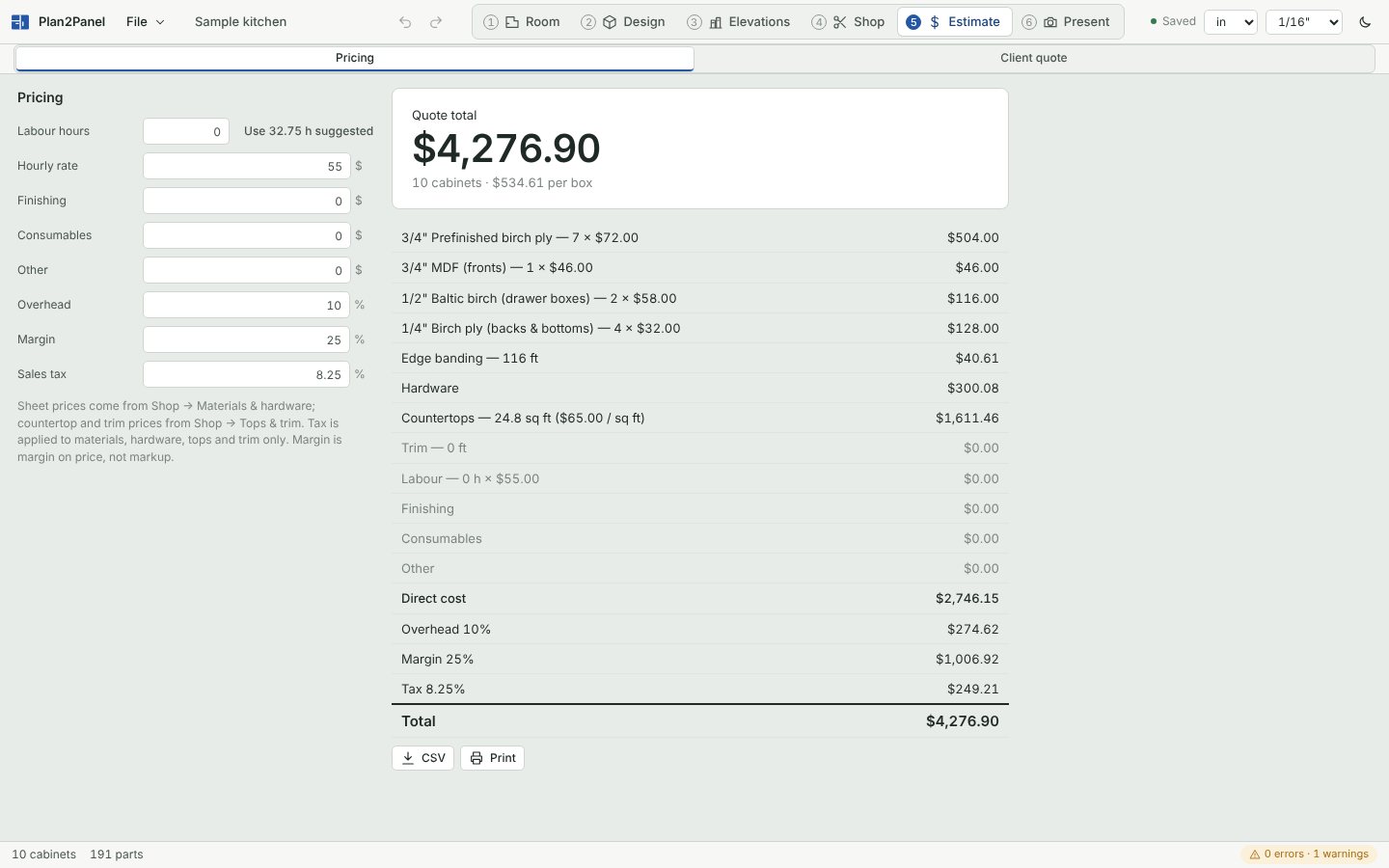
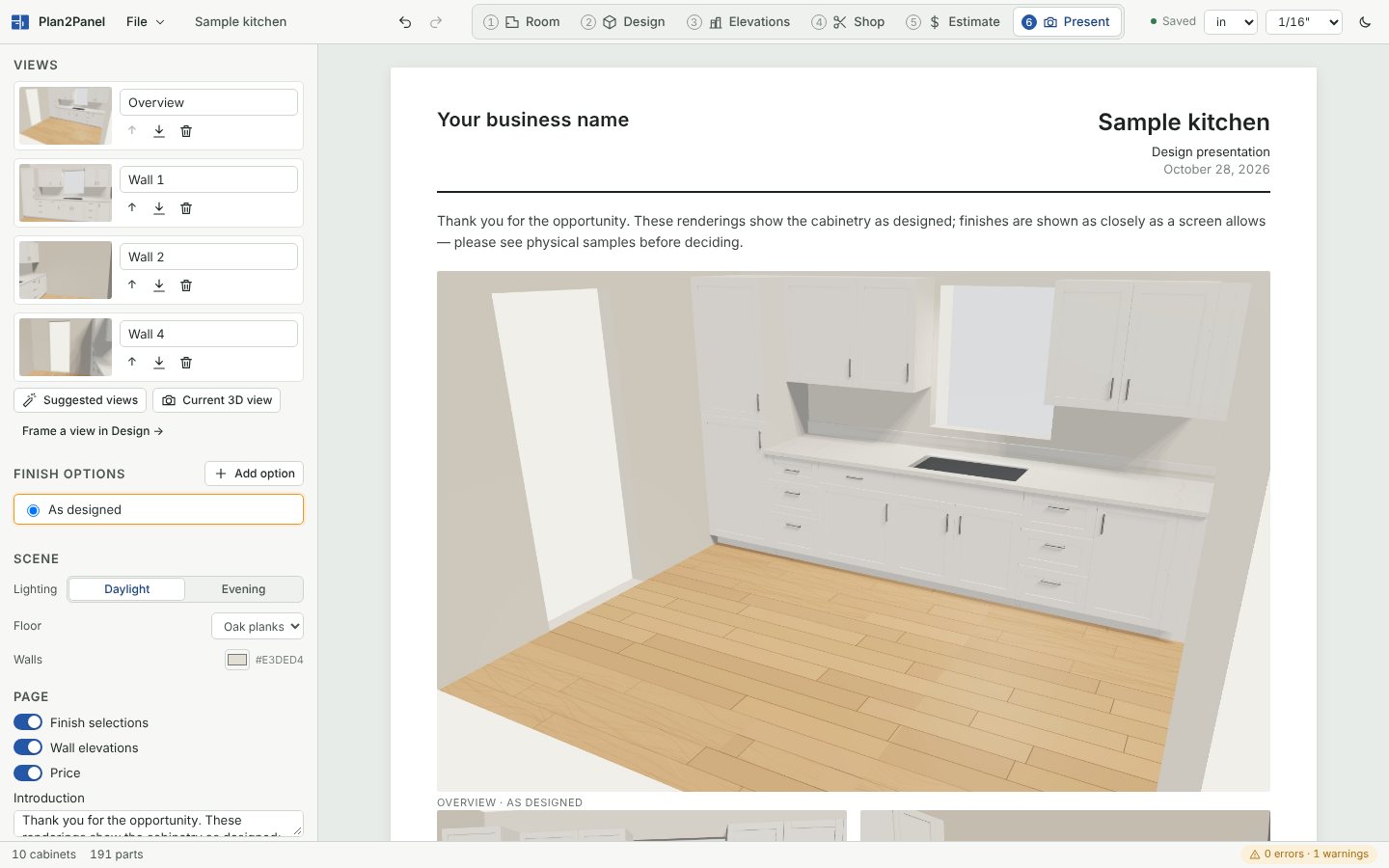
One drawing, six steps
The tabs across the top of Plan2Panel follow a job from the tape measure to the sign-off. Each step reads the same drawing, so a change in one shows up in all of them.
What the shop gets
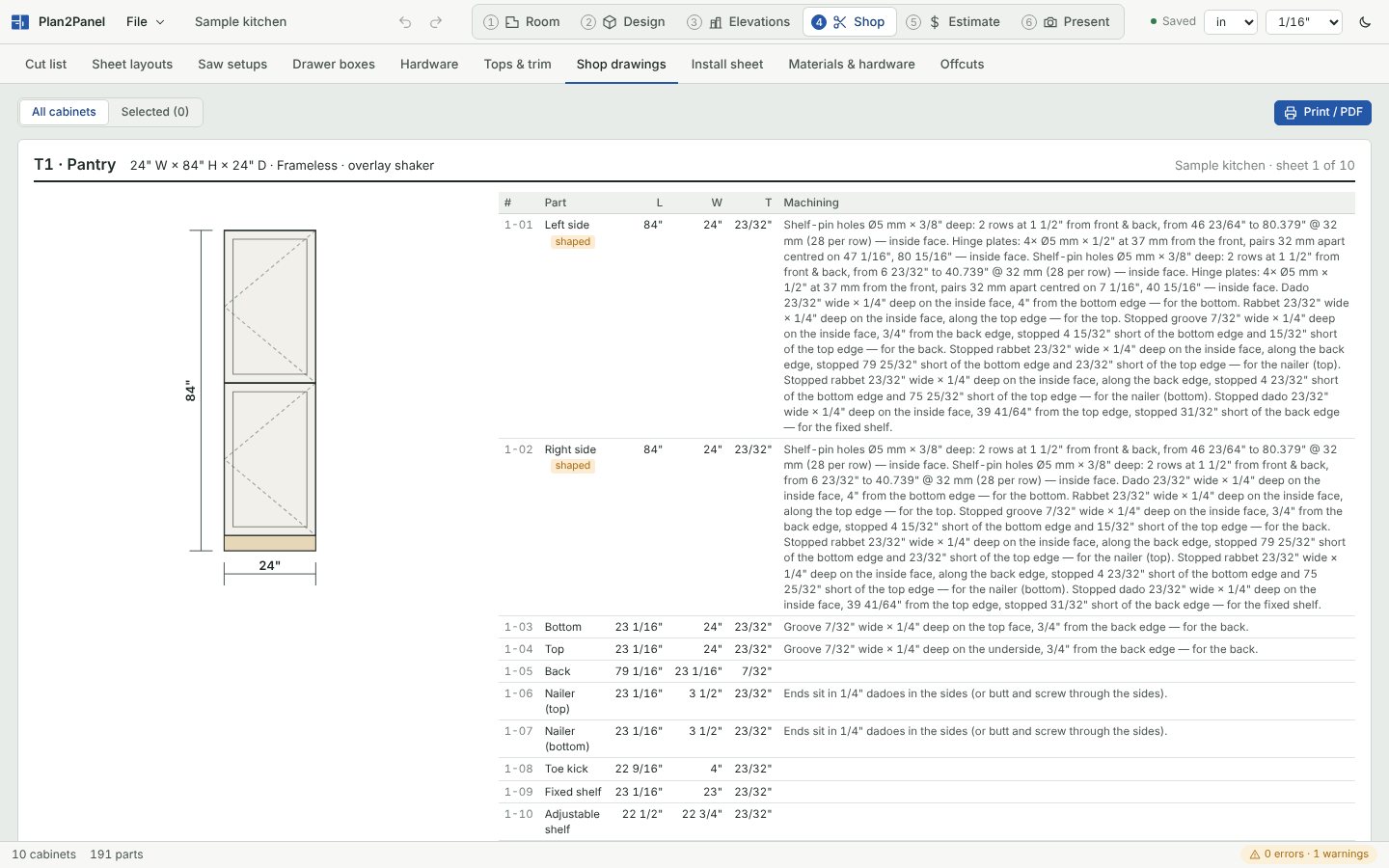
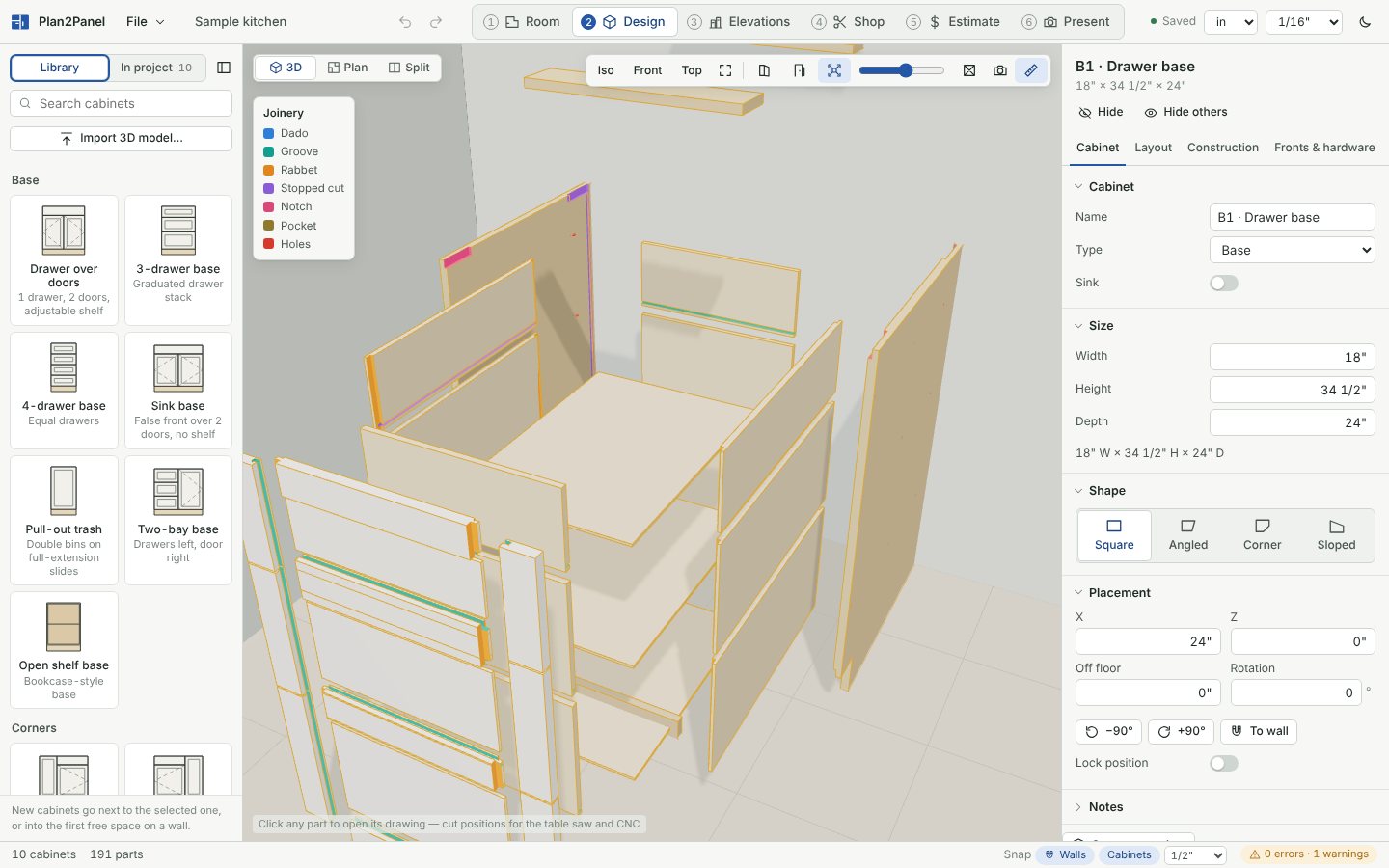
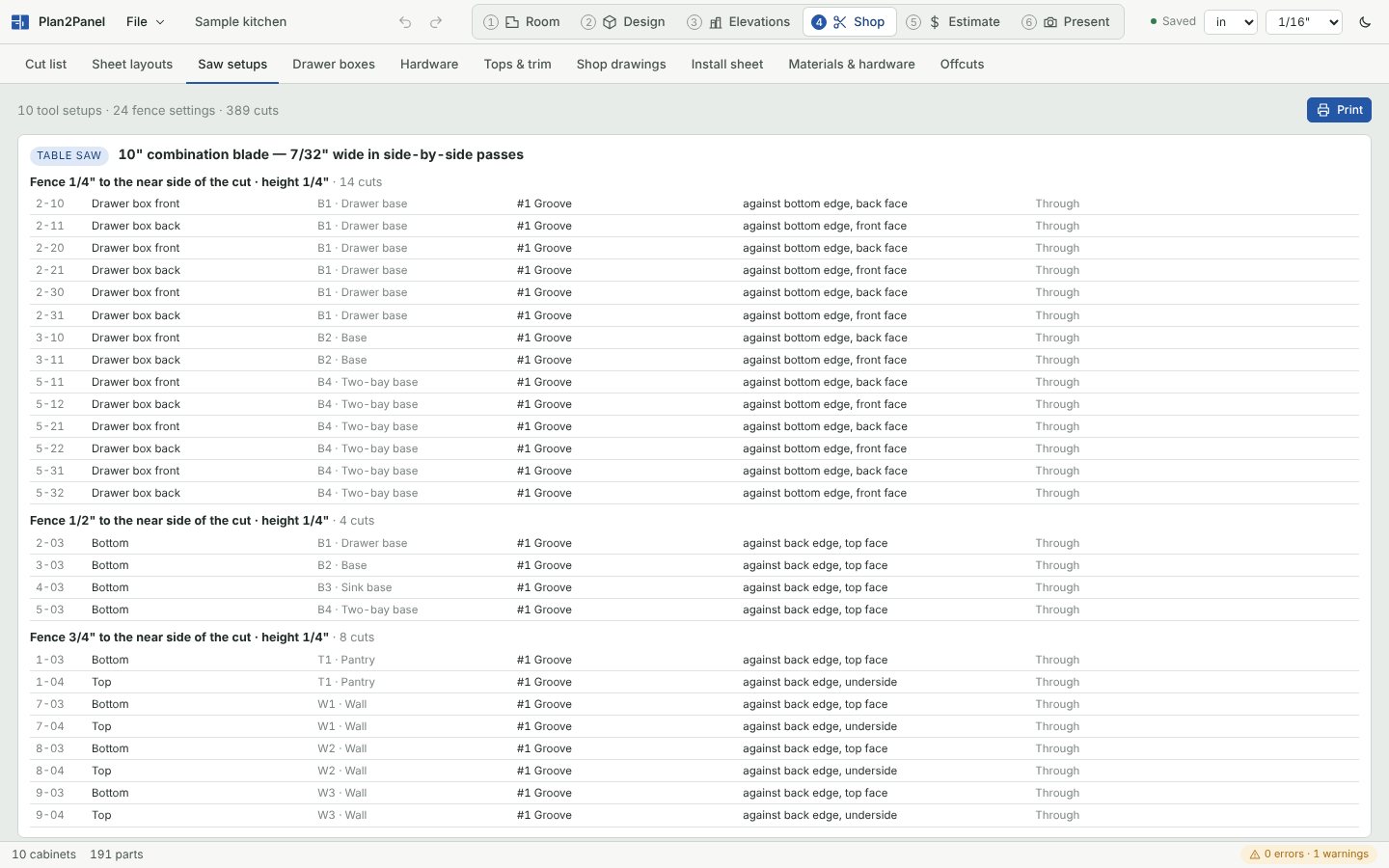
Parts are built from real joinery, not boxes with a label on them. Every dado, rabbet, groove, hinge cup and slide hole is on the part, so the drawings, the 3D view and the DXF all agree.
Construction
- Frameless or face frame, overlay or inset doors.
- Dado, rabbet and dado, or butt joints; pocket screws, dowels or mortise and tenon on face frames.
- Shaker, slim shaker, raised panel, glass and applied moulding doors, cope and stick or mitered.
- Corner, angled-wall and sloped-ceiling cabinets, closets, wall beds and L-shaped desks.
Hardware
- Hinges from Blum, Salice, Hettich and Grass with plates and the drilling pattern.
- Slides from Blum, Salice, Grass, Accuride and KV, with drawer boxes sized to each slide's rules.
- Shelf pins on System 32 or your own spacing.
- A priced hardware list per job.
Cutting
- Sheet layouts for CNC nesting or table-saw strip cutting, grain kept where it matters.
- Offcuts saved to a rack and used on the next job.
- DXF per part and per sheet, CSV cut lists and part labels.
- Inches with fractions, or millimetres.
Not only kitchens
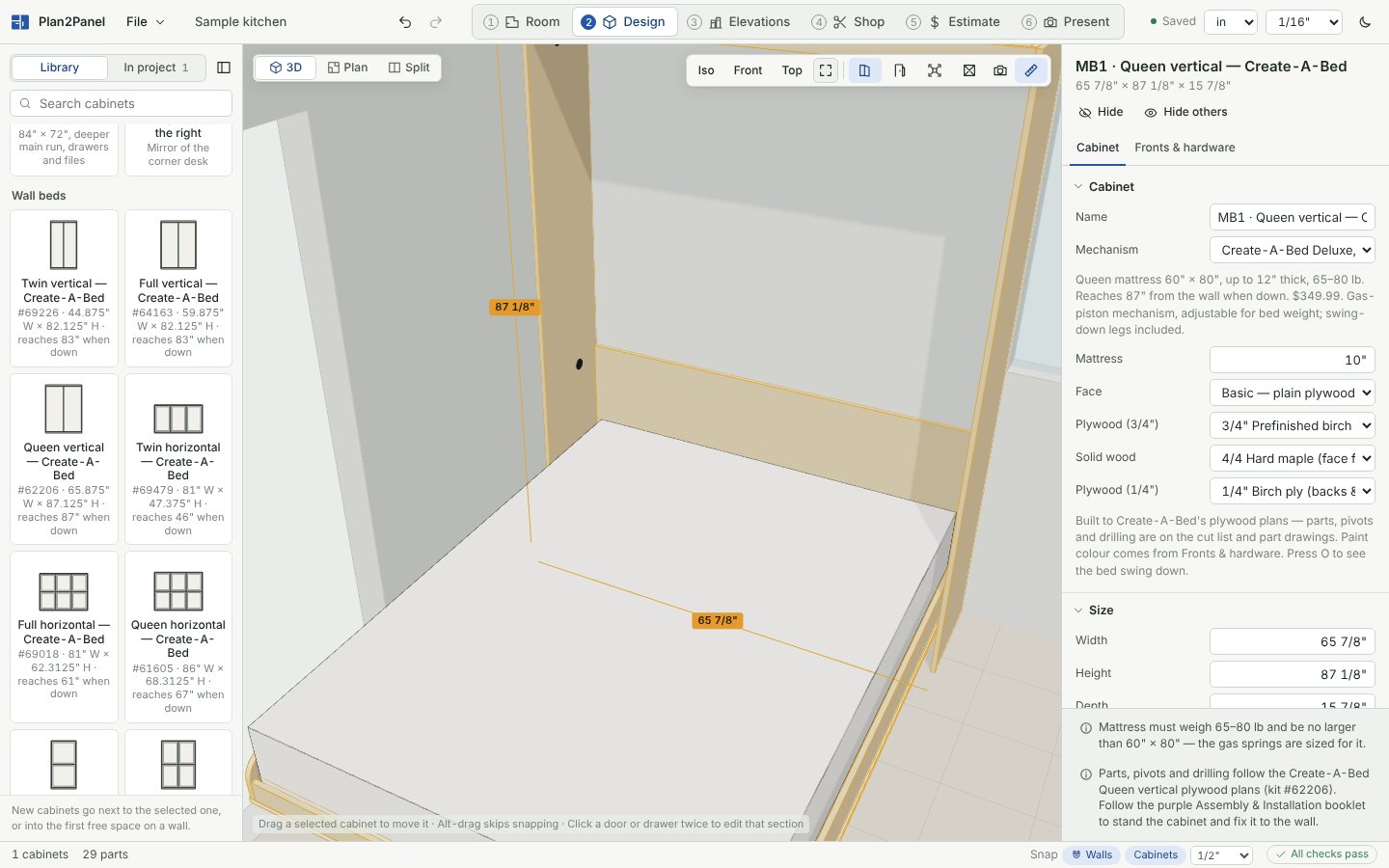
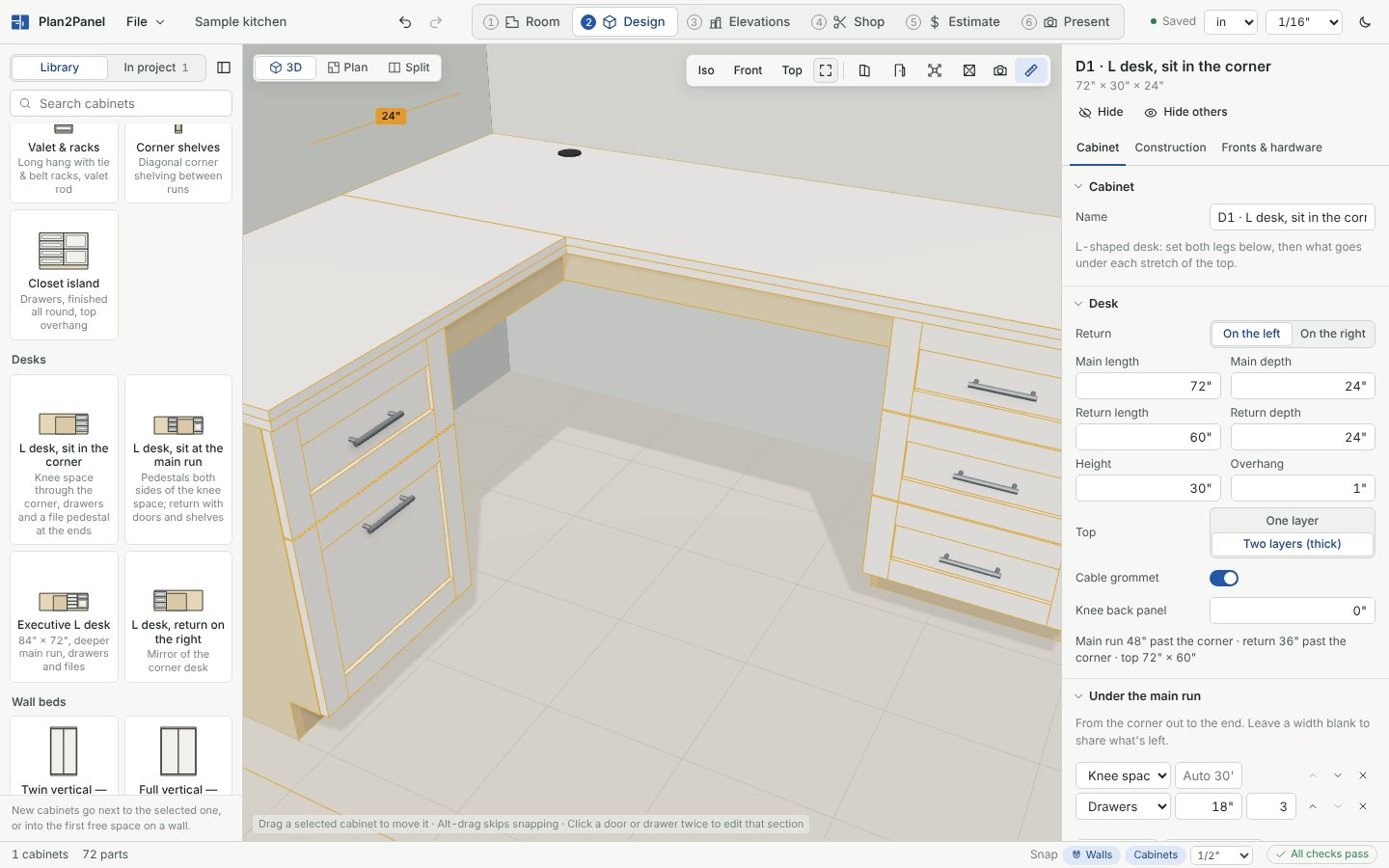
Also: closets with rods, shoe shelves and hampers; built-ins around windows and stairs; appliances and your own SketchUp, OBJ, STL or glTF models placed in the room; and a one-click export to Twinmotion for full renders.
Pricing
$399 one-time, per computer
- The full app: design, shop output, estimates and presentations.
- One license key per computer. Moving to a new computer takes one click.
- Works offline. It needs to reach the license server at least once every 30 days.
- Cloud sync and backup between your activated computers.
After you buy, your license key arrives by email. Install the app, paste the key, and you're working.
What you need
- Windows
- Windows 10 or 11, 64-bit
- Download
- About 10 MB
- Internet
- To activate, then once every 30 days
- Mac
- Not yet
Questions
Does it work without internet?
Yes. Design, cut lists, drawings and quotes all work offline. The app needs a connection to activate, and then at least once every 30 days to keep the license current.
Can I use it on two computers?
Each license key covers one computer. To move it, open File › License › Deactivate on the old computer and enter the key on the new one. For a second computer at the same time, buy a second license.
What can it send to my CNC?
DXF files for every part and for every nested sheet, with dadoes, grooves and holes on their own layers named by depth. It doesn't write G-code; your CAM software takes the DXF from there.
Can I bring in SketchUp models?
Yes, export them from SketchUp as COLLADA (.dae), or use OBJ, STL or glTF. Native .skp and STEP files can't be read directly yet.
Does it do metric?
Yes. Switch the units menu to millimetres and every dimension, cut list, drawing and DXF follows.
Where are my projects saved?
On your computer, with an autosave as you work. Save a project file to keep a copy anywhere, and turn on cloud sync to back up and move projects between your computers.